
Hardware Wallets
5 Best Hardware Wallets (November 2026)

 Add Securities.io to your preferred sources on Google
Securities.io may receive compensation when you use links to products we review. This does not influence our editorial evaluations. We are not a registered investment adviser; this is not investment advice. Read our affiliate disclosure.

Key PointsHardware wallets reduce malware exposure but cannot prevent approval of malicious…
View more
- Hardware wallets reduce malware exposure but cannot prevent approval of malicious transactions.
- Seedless backups remove recovery phrases while creating total loss risk if every card is lost.
- Air-gapped signing still requires careful firmware updates because past flaws affected transaction display.
Hardware wallets are physical devices that store your private keys and sign transactions on the device, keeping those keys separate from your computer or phone. This can help protect your cryptocurrency if your computer is compromised, but you still need to check what you approve and keep your backups safe.
They are widely considered one of the most secure ways to hold cryptocurrency yourself, as they reduce the exposure of private keys to malware on internet-connected devices. However, hardware wallets can still be affected by vulnerabilities, tampering, phishing, and malicious transactions. Recovery also depends on having a usable backup, whether that is a recovery phrase or another supported method.
There are many different hardware wallets on the market that support a wide range of cryptocurrencies. All these wallets vary in terms of features and benefits, so the right choice depends on the assets you hold, how often you transact, and the backup arrangements you can reliably manage.
Speaking of hardware wallets, a hardware wallet can be a great option if you’re looking for a practical way to take control of your coins. So, without further ado, let’s check out five options and the trade-offs you should know before choosing!
Specifications and listed prices were checked on November 17, 2026. Prices are in USD where shown and may change with promotions, taxes, shipping, and location. Check the manufacturer’s current listing before ordering.
Swipe to scroll →
| Wallet | Best Suited For | Price (USD) | Secure Element | Open-Source Status | Air-Gapped Signing | Connectivity | Notable Features and Trade-offs |
|---|---|---|---|---|---|---|---|
| OneKey Pro 2 | Premium touchscreen features and flexible signing | From $299 | 4 × CC EAL6+ | Firmware and apps open-source | QR mode for supported workflows | USB-C, Bluetooth, QR; NFC backup; wireless charging | 3.54-inch touchscreen, fingerprint unlock, SeedCard backup |
| Tangem (2- or 3-card pack) | Simple mobile use and seedless backups | $54.90 / $69.90 | CC EAL6+ | App open-source; card firmware closed and independently audited | No; NFC transfers transaction data | NFC-enabled smartphone | Multi-card backup; optional seed phrase; no device screen |
| Trezor Safe 7 | Everyday multi-asset use across desktop and mobile | $249 | TROPIC01 plus CC EAL6+ OPTIGA Trust M | Open-source firmware; auditable TROPIC01 design | No | USB-C, Bluetooth; wireless charging | 2.5-inch touchscreen, Trezor Suite, flexible backup options |
| BitBox02 Nova Bitcoin-only | Straightforward Bitcoin storage and recovery | Check current store price | CC EAL6+ OPTIGA Trust M V3 | Firmware and companion app open-source | No | USB-C; Bluetooth for iPhone and iPad; external power required | Bitcoin-only firmware; microSD backup must be kept physically secure |
| SafePal S1 | Budget multi-chain QR signing | $49.99 | CC EAL6+ on the current product page | Selected components open-source; not fully open-source firmware | QR signing; USB used for firmware updates | No Bluetooth, Wi-Fi, or NFC; USB charging and updates | 400 mAh battery, tamper-response features; install current firmware |
How we compared them: We considered key protection, transaction verification, recovery options, usability, transparency, and published security notices. Secure-element certifications apply to the evaluated chip and do not guarantee the security of an entire wallet. See full methodology ↓
1. OneKey Pro 2
Premium Wallet for Flexible Signing and Daily Use
In the world of hardware wallets, OneKey combines multi-chain support with touchscreen convenience. The OneKey Pro 2 brings that approach to its current flagship, with a 3.54-inch AMOLED display, fingerprint unlocking, and wireless charging.
The larger display gives you more room to review addresses, amounts, and permissions before approving a transaction. For someone regularly moving between different assets and applications, that can be more useful than a long specification sheet.
Now, just what kind of security do you get? OneKey lists four EAL6+ certified secure elements and publishes its firmware and app code. The chips support different protective functions, but their number does not establish that the wallet is four times safer than a device with one secure element.
Its Clear Signing and SignGuard features aim to make supported transactions easier to understand and flag suspicious requests. These are useful checks, although their coverage depends on the network and transaction type. If the device cannot clearly explain an approval, do not assume that the app’s reassuring appearance makes it safe.
Advanced functionalities include camera-based QR signing alongside USB-C and Bluetooth connections. QR signing allows you to exchange transaction data without an active cable or Bluetooth data connection when using the appropriate mode. Check whether your intended asset and application support that workflow before buying.
For backup, the current package includes OneKey SeedCard, an encrypted backup accessory. The device also supports recovery phrases and SLIP39 backup shares. Whatever method you choose, understand how to restore the wallet and protect the backup separately from the device.
With its multi-chain support, you can manage Bitcoin, Ethereum (ETH ), Solana (SOL ), and many other digital assets. The supported-asset directory helps identify which hardware and software combinations work with a particular coin.
Furthermore, you can use separate accounts for savings and everyday dApp activity. This can limit exposure to a particular contract approval, although accounts sharing one recovery phrase remain exposed if that phrase is compromised.
Starting at $299, OneKey Pro 2 is a premium choice. Its appeal is the combination of a readable display, several connection options, and convenient backup features. Follow the manufacturer’s authenticity checks and current setup instructions before funding it.
2. Tangem
Simple Mobile Wallet with Seedless Backup Options
For someone just starting in crypto, Tangem can be an appealing choice thanks to its straightforward card-based setup. Instead of a tiny box-like device, this wallet takes the shape of a card that requires no wires or charging and fits right in your pocket.
Setting up the wallet involves pairing the cards with the Tangem app on a compatible NFC-enabled smartphone. The mobile app is open-source, while the card firmware is closed-source and cannot be updated.
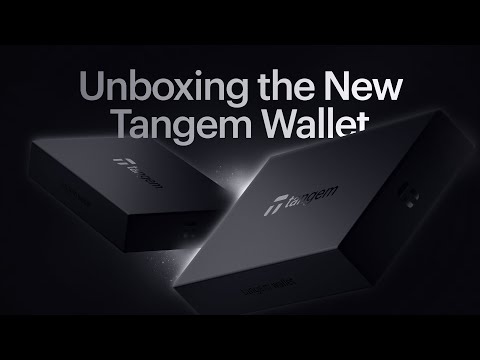
Tangem comes in multi-card packs for backup redundancy. The standard two-card set is listed at $54.90, while the three-card set is $69.90. Each linked card provides access to the same wallet, so an extra card gives you another backup rather than requiring multiple cards to approve every transaction. Keep them in separate secure locations.
Once you’ve got it, you can use it to sign transactions on the go. However, there is a trade-off: Tangem has no screen on the card. You review transaction information on your phone, without a separate trusted display to confirm that the card is signing the intended details. NFC is also a data connection, so Tangem should not be described as air-gapped.
Much like others on this list, Tangem uses an EAL6+ certified secure element. Its cards are designed for everyday durability, but resistance to physical damage does not replace a recovery plan.
To enhance access security, Tangem offers an access code and optional phone-based biometric authentication. Its firmware documentation describes independent assessments by Kudelski Security and Riscure. Those assessments provide evidence about the reviewed implementation, rather than a promise that no vulnerability can ever exist.
Notably, Tangem offers two distinct setup approaches. With seedless setup, the private key is generated inside the device and backed up to the linked cards through its protected backup process. If every usable card is lost or destroyed, there is no recovery phrase to restore access.
With the optional seed-phrase setup, the app can generate or import a phrase and transfer the derived key to the cards. This involves the phone and should not be confused with generating a seed phrase entirely inside the card. Keep the phrase offline and private.
On the accompanying Tangem app, you can manage supported coins and access buying, selling, swapping, and staking services. Available assets, payment methods, fees, and services depend on your region and the providers involved. Staking rewards are variable and can carry lock-up, validator, or other protocol risks.
3. Trezor Safe 7
All-Round Wallet for Multi-Asset Investors
For someone looking for a hardware wallet that works comfortably across desktop and mobile, Trezor Safe 7 is worth a closer look. It combines a 2.5-inch color touchscreen with USB-C and Bluetooth, giving you a choice between wired and wireless use.
The touchscreen makes entering a PIN and reviewing transactions more convenient than navigating everything with two small buttons. Wireless charging adds another everyday convenience, while Bluetooth can be disabled if you prefer a cable.
Its security architecture uses two secure elements, TROPIC01 and an EAL6+ certified OPTIGA Trust M chip, alongside a separate microcontroller. Trezor publishes its firmware, and the TROPIC01 design is available for independent scrutiny. As with any wallet, transparency supports review rather than guaranteeing that every component is free of flaws.
The accompanying Trezor Suite lets you manage supported assets on desktop and mobile. Bitcoin, Ethereum, and Solana are among the supported networks, while some activities require compatible third-party wallets. Check the supported-coin directory for your particular assets and intended functions.
For recovery, Trezor offers several wallet-backup formats. Its default 20-word SLIP39 backup can support a move to a multi-share arrangement, where a chosen threshold of shares is needed for recovery. That gives experienced users more flexibility in separating backups across locations.
However, a 20-word SLIP39 backup is not interchangeable with a standard BIP39 phrase. Any replacement wallet must support the format you used. Additional passphrases also need careful planning, because losing the exact passphrase can mean losing access even when the backup words are correct.
Security disclosures deserve attention, too. In June 2026, Trezor published a TROPIC01 chip vulnerability notice. According to the company, the laboratory attack against that chip alone does not defeat the Safe 7’s remaining protection layers. Its security page also lists resolved software issues, reinforcing the need to keep firmware and companion software current.
At a listed $249, the Safe 7 brings together mobile access, a useful touchscreen, and a broad ecosystem. It is not air-gapped, and its value comes from that overall balance rather than any promise of absolute security.
4. BitBox02 Nova Bitcoin-only
Bitcoin-Only Wallet for Straightforward Storage and Recovery
If you only care about Bitcoin and want a dedicated hardware wallet, the Bitcoin-only edition of BitBox02 Nova offers a focused approach. Its appeal is keeping everyday setup, transaction approval, and recovery manageable.
The Bitcoin-only edition removes support for other cryptocurrencies from its firmware. That reduces the amount of functionality involved, although it does not eliminate the possibility of vulnerabilities. Choose carefully: the Bitcoin-only and Multi editions are separate products and cannot be converted into each other later.
In terms of appearance, Nova is a compact device with a glass-covered OLED display and touch controls. You review transaction details and enter the device password on the wallet itself, keeping those checks separate from the computer or phone.
Its security architecture combines an EAL6+ certified secure chip with a microcontroller running open-source firmware. The secure chip helps protect access to the encrypted wallet seed. The companion BitBoxApp is also open-source, allowing developers and researchers to examine the software.
For convenience, Nova supports desktop computers and Android through USB, with Bluetooth data communication for iPhone and iPad. There is one practical detail to remember: iPhone and iPad use still requires a physical connection for power. Bluetooth does not turn it into a completely cable-free device.
Backup is one of its most approachable features. The wallet can write a backup directly to the included microSD card, and you can also display recovery words for a paper or metal backup.
However, the microSD backup is not encrypted, and the device password does not protect that file. Treat the card like a recovery phrase: keep it offline, physically secure, and separate from the wallet. Do not store it with ordinary computer files or upload its contents to cloud storage.
Firmware maintenance remains important. BitBox’s August 2026 security update addressed several issues, including one involving Silent Payments that could affect Bitcoin-only users. Install current firmware through the official BitBoxApp before relying on the device.
Unlike the QR-based options here, Nova is not air-gapped. It suits Bitcoin holders who want on-device verification and a straightforward backup process, with fewer specialist controls to learn. Check the store’s current price and select the Bitcoin-only edition before ordering.
Buy BitBox02 Nova Bitcoin-only
5. SafePal S1
Budget Wallet for Multi-Chain QR Signing
SafePal S1 is one of the more affordable options in this comparison. At $49.99, its current product page lists an EAL6+ secure element and support for more than 200 blockchains. Check that your specific coins and intended transactions are supported by the hardware-wallet setup.
So, if you’re a beginner or cost-conscious crypto holder, you may want to consider SafePal’s (SFP ) mobile-focused hardware wallet. Its compact design includes a small color screen and a camera for scanning QR codes.
The source-code description needs some care. SafePal now says that selected code for private-key generation and other functions is open-source. That is more specific than describing the entire firmware as either fully open or entirely closed.
SafePal S1 signs transactions through QR exchanges and has no Bluetooth, Wi-Fi, or NFC connection. However, USB is used for charging and firmware updates. Its air-gapped signing design does not mean the device has no USB data capability under any circumstances.
The wallet has a 400 mAh battery. SafePal advertises up to 20 days of battery life based on ten minutes of daily use, so actual endurance depends on your usage and the battery’s condition.
In addition to its secure element, the wallet uses a PIN to approve operations. If you forget the PIN or lose the device, recovery depends on a correctly recorded recovery phrase and any passphrase you added. SafePal cannot reconstruct those secrets for you.
For physical protection, SafePal describes security sensors and a tamper-response mechanism designed to erase sensitive wallet data when certain attacks are detected. These are protective measures, rather than a guarantee against every physical attack. Erasing the device also makes your separate backup particularly important.
Firmware maintenance matters here. The published S1 firmware changelog records an August 2026 fix for a problem that could show incorrect transaction details during signing. Install the current firmware from SafePal’s official download page and follow its upgrade instructions before relying on the wallet.
To manage your assets, you can pair the S1 with the SafePal app and use supported browser-extension workflows. Depending on the asset and service, you can buy, sell, send, receive, swap, stake, manage NFTs, and explore dApps.
Features such as approval management and dApp screening can help you review permissions and identify risks. They cannot guarantee that every contract is safe, and revoking an approval does not reverse funds already taken. Keep long-term holdings separate from funds you actively use with unfamiliar applications.
Earlier Models and Further Reading
The original OneKey Pro remains an alternative, but Pro 2 takes the premium spot in this comparison. The original OneKey Pro video covers the earlier model.
The Ledger Nano X (XNO ) remains a compact Bluetooth option. Our Nano X review and the original video provide further background. Buyers should also review Ledger’s October 2026 CryptoBilis purchasing advisory and check current guidance through official support.
Coldcard Q offers specialist Bitcoin controls, as covered in the original video. Read its seed-generation advisory before using it: updating firmware alone does not repair an affected seed, and some owners need to follow the migration process.
Conclusion
Hardware wallets can substantially improve cryptocurrency security by keeping transaction-signing keys separate from your everyday computer or phone. They also let you make transactions and track balances through compatible software, while your assets remain recorded on their respective blockchains.
The best choice depends on your priorities. OneKey Pro 2 offers premium touchscreen features and QR signing, Tangem emphasizes simple card-based access, Trezor Safe 7 balances mobile convenience with multi-asset support, BitBox02 Nova Bitcoin-only focuses on straightforward Bitcoin storage, and SafePal S1 provides budget QR signing.
Whichever wallet you choose, buy through a verified channel, follow the manufacturer’s current setup guidance, protect your backup, and review transactions carefully. A hardware wallet is a valuable security tool, but good habits remain part of the package.
Click here to learn about the dark side of crypto: navigating safety risks.
Our Methodology
This comparison uses published product documentation, source-availability information, and security notices. It is an editorial assessment of features and trade-offs, rather than a hands-on security audit or a claim that these devices outperform every alternative.
- Security Architecture: We considered key protection, secure-element certifications, transaction verification, connection options, recovery design, and published vulnerabilities. Chip certifications and air-gapped signing are useful factors, but neither proves overall security.
- Ease of Use: We considered setup requirements, screens and controls, mobile compatibility, and the practical demands of maintaining backups.
- Flexibility and Ecosystem: We compared asset support, compatible applications, and access to features such as NFTs, staking, and Bitcoin-specific tools.
- Transparency and Support: We considered source-code availability, published assessments, firmware support, and how users are instructed to respond to security issues.
These factors help match different wallets to different needs, from straightforward mobile access to dedicated Bitcoin storage. The numbered order is not a measured security ranking.
Back to the comparison table ↑
FAQ
Are hardware wallets safer than software wallets?
They generally provide stronger protection against private-key theft by malware on your computer or phone. However, they cannot prevent every loss, including losses caused by exposed backups, device vulnerabilities, tampering, or malicious transactions you approve.
What does “air-gapped” mean?
For wallet signing, it means exchanging transaction information without an active USB, Bluetooth, or NFC data connection, commonly using QR codes or removable storage. Information still enters and leaves the wallet, so air-gapped signing does not eliminate every attack route.
What if I lose my device?
You can usually recover with the appropriate recovery phrase, shares, or other supported backup, plus any additional passphrase. Tangem’s seedless setup relies on surviving linked cards. Losing both the device and every usable backup can mean permanently losing access.
Are Bluetooth hardware wallets safe?
They are designed to sign transactions on the device without sending private keys over the Bluetooth connection during normal signing. Security still depends on the implementation, current firmware, and careful verification on the device. Bluetooth and air-gapped signing are different approaches.
Can I use a hardware wallet without a seed phrase?
Tangem offers seedless setup with linked backup cards. Other wallets can offer backup cards or microSD backups, but their recovery and security arrangements differ. Understand what happens if the device, backup, or access credentials are lost.
Which wallet suits Bitcoin-only users?
The Bitcoin-only edition of BitBox02 Nova is a suitable choice for users seeking focused firmware, on-device verification, and straightforward backups. It uses USB or supported Bluetooth connections rather than air-gapped signing.


